Development decisions
Next.js vs React: choose the architecture, not the label
Next.js uses React. The useful comparison is between an integrated framework and the architecture your team would otherwise assemble.

The Next.js vs React comparison is easier to understand when you separate the interface library from the application framework. React provides the component model; Next.js is one framework built around it. A Next.js project is also a React project, so the practical choice concerns the rest of the stack and how your team will operate it.
For a business website, the decision concerns routing, data, rendering, hosting, editing and maintenance. Start there. A framework name alone does not tell you how fast the finished website will be or whether it will attract search traffic.
What changes when you choose a framework?
React lets developers compose interfaces from components. A production application also needs decisions about routes, data loading, error states, builds and deployment. A framework can supply an integrated approach to several of those responsibilities.
The React documentation recommends starting new applications with a framework, while explaining situations where a from-scratch setup is appropriate. That is different from saying that every existing React application must migrate to Next.js.
Ask what is already working. An established application with a suitable routing and deployment setup may gain little from a rewrite. A new site with complex rendering and data needs may benefit from a framework's conventions. The recommendation needs that context.
Compare responsibilities rather than feature ticks
| Area | React with your chosen tooling | Next.js setup |
|---|---|---|
| Routing | Select and maintain a routing approach | Use the chosen Next.js router conventions |
| Data and rendering | Agree how the stack handles each route | Configure the appropriate server/client and rendering behaviour |
| Deployment | Match the complete stack to the host | Match runtime features or static export to the host |
| Content editing | Choose and integrate an editing system | Still choose and integrate an editing system |
This table is not a claim that a React app must be client-only or that Next.js automatically provides a content editor. Document the actual architecture and versions in the proposal.
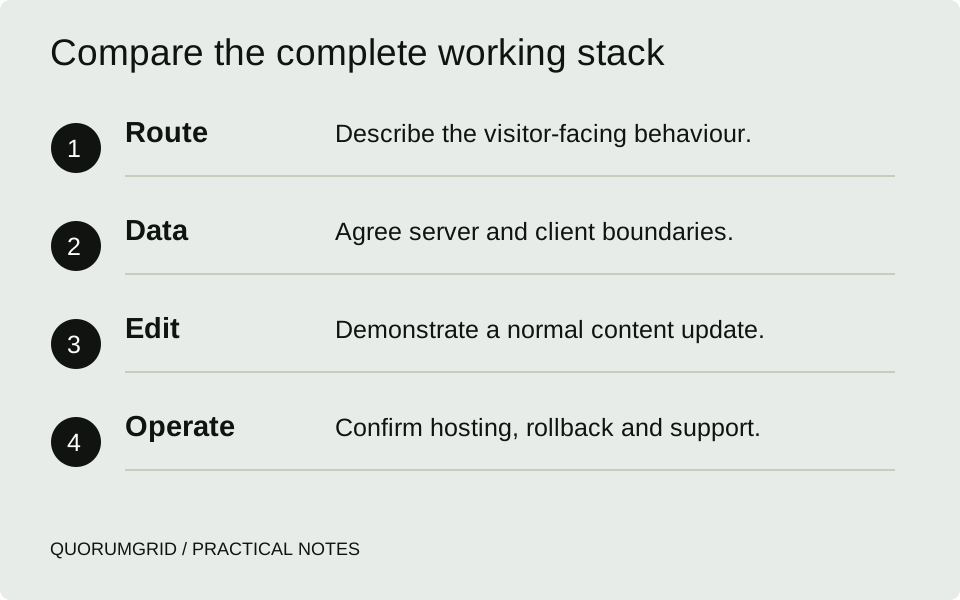
Compare the complete working stack
- Route
Describe the visitor-facing behaviour.
- Data
Agree server and client boundaries.
- Edit
Demonstrate a normal content update.
- Operate
Confirm hosting, rollback and support.
Server and client are implementation choices
Next.js's App Router uses Server Components by default for layouts and pages, with Client Components for interactivity and browser capabilities. The official guide explains the boundary and how the two can be composed.
A Client Component is not simply a guarantee that no HTML is rendered on the server. Avoid that shortcut when discussing search visibility. Ask what the route returns, what appears after hydration and how essential content behaves when a resource fails.
Also record the Next.js version and route configuration when discussing caching. Defaults and APIs change. A copied performance recipe from a different major version is not evidence that the proposed site will behave the same way.
Two different briefs can lead to different answers
Illustrative brief A: a service business needs editable landing pages, articles, a contact form and dependable hosting. An integrated framework may work, but compare the editing workflow and support cost with a conventional CMS before assuming a custom JavaScript build is necessary.
Illustrative brief B: a business already has a React application and wants to improve its public documentation and onboarding pages. A framework-based public site, a smaller change within the existing stack or a separate documentation system may each be viable. The data and deployment boundaries matter more than an all-or-nothing rewrite.
For each proposal, ask the developer to explain one representative route from request to rendered page and one normal content update from editor to publication. That exposes missing responsibilities more effectively than a long technology list.
Choose a deployment that supports the features
Next.js supports multiple deployment approaches, including static export. An exported site can suit compatible routes, but features requiring a runtime server need a deployment that provides them. Check limitations against the actual feature list.
Do not assume a Node server is required for every Next.js page or that every shared host can run every Next.js feature. Similarly, a React application can have a backend and server-rendered routes when its chosen stack provides them.
Agree who handles builds, environment variables, previews, rollback and provider access. Keep credentials out of client-delivered code and give the business a usable deployment handover. An architecture is not complete until someone can operate it.
Evaluate the delivered website
Check page content, headings, links, metadata, status codes and the visitor journey in the actual build. Test important public routes and forms on mobile. Neither “built with React” nor “built with Next.js” is a search-performance result.
Ask for evidence appropriate to the brief: a working preview, a representative content update, a failed-request state and an agreed hosting plan. For search checks, our technical checklist focuses on the page that is served rather than the technology label.
Choose the setup whose trade-offs the team can explain and maintain. If the proposal depends on a feature nobody has demonstrated, resolve that uncertainty before committing to a rewrite.
Sources and further reading
Technical references for this guide. The checklists and examples are our practical recommendations, adapted to the subject.