Technical SEO
A technical SEO audit checklist with a fix order
Investigate the first broken dependency. A detailed content review cannot explain a page that the server never successfully serves.

This technical SEO audit checklist follows a page from its response to the content a visitor can use. Check access, status, indexing instructions, the preferred URL and the rendered page, then turn the evidence into an ordered fix list. Start with representative URLs rather than treating every crawler warning as equally urgent.
Use this sequence to organise an investigation, not to run every available tool and label every difference an error. Start with a small representative sample, record the evidence and widen the scope when a repeated pattern appears.
Write down the intended page state
Choose the pages the business wants people to find: a main service, an important category, a product or an article. Add a deliberately excluded page, such as an account route, as a control. Without intent, an auditor can mistake a correct exclusion for a defect.
Record recent changes and the source of the concern. A search-performance drop after a migration is a different starting question from a new page that has not yet been processed. Note which accounts, logs and historical reports are unavailable.
For each sample, keep the URL, timestamp, request method and relevant user state. A normal public request is not necessarily equivalent to an authenticated browser or a crawler with cached information.
1. Establish the actual response
Check the HTTP response and any redirect chain. Does the URL reach the intended page, send visitors somewhere unrelated or fail intermittently? A custom error message displayed with HTTP 200 deserves investigation because the status and visible result tell different stories.
Google's HTTP status guidance explains crawler handling. Do not turn every redirect or unavailable page into the same recommendation. A deliberately moved page, a deleted resource and a temporary outage have different intended outcomes.
Capture a reproducible example before changing the server. For a migration issue, check the source and destination together. Our redesign planning guide explains why URL mapping belongs in the project scope.
Illustrative redirect check
A request for /old-service/ returns 301 with a destination of /new-service/. Open that destination and confirm it serves the replacement service page. A deliberate redirect to the correct replacement can be healthy; a chain ending at an unrelated page needs investigation. Record the actual source, destination and response before recommending a change.
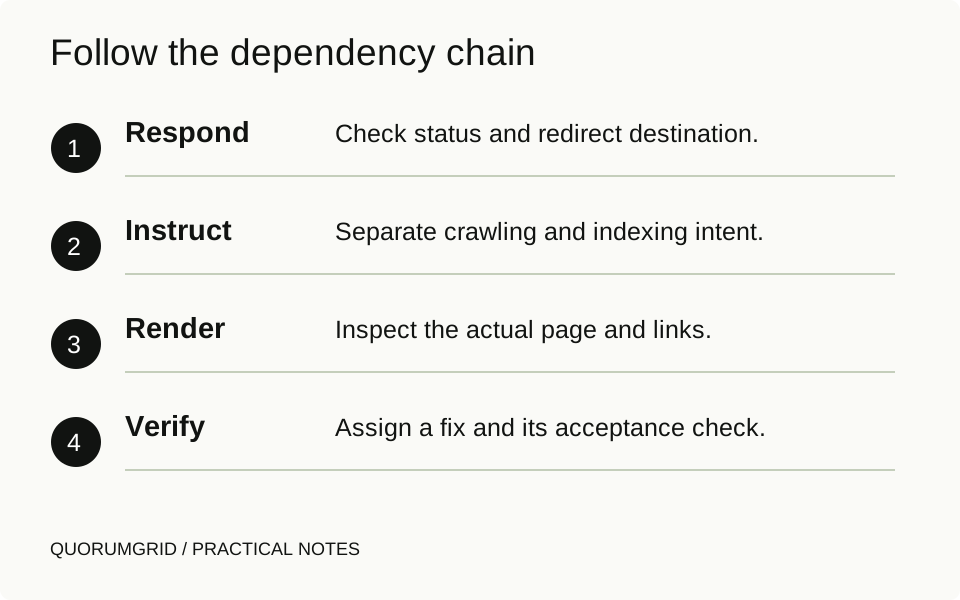
Follow the dependency chain
- Respond
Check status and redirect destination.
- Instruct
Separate crawling and indexing intent.
- Render
Inspect the actual page and links.
- Verify
Assign a fix and its acceptance check.
2. Distinguish crawling from indexing instructions
Review robots.txt separately from HTML robots tags and the X-Robots-Tag header. A crawl restriction and an instruction not to index answer different questions. Google's robots.txt introduction explains that a blocked URL can still appear in results in some circumstances.
If you rely on noindex, the crawler needs access to the response carrying it. Do not assume that blocking access at the same time makes the instruction more effective. Check the noindex documentation before changing a sensitive URL pattern.
Never use these search directives as access control for confidential pages. Private information needs appropriate authentication and server-side permissions, not a request that search engines avoid showing it.
3. Check the preferred URL and internal signals
Inspect whether the canonical points to the intended equivalent page. Compare the canonical destination, internal links, redirects and sitemap entries. Conflicting signals deserve investigation; they do not prove that changing one tag will immediately settle Google's choice.
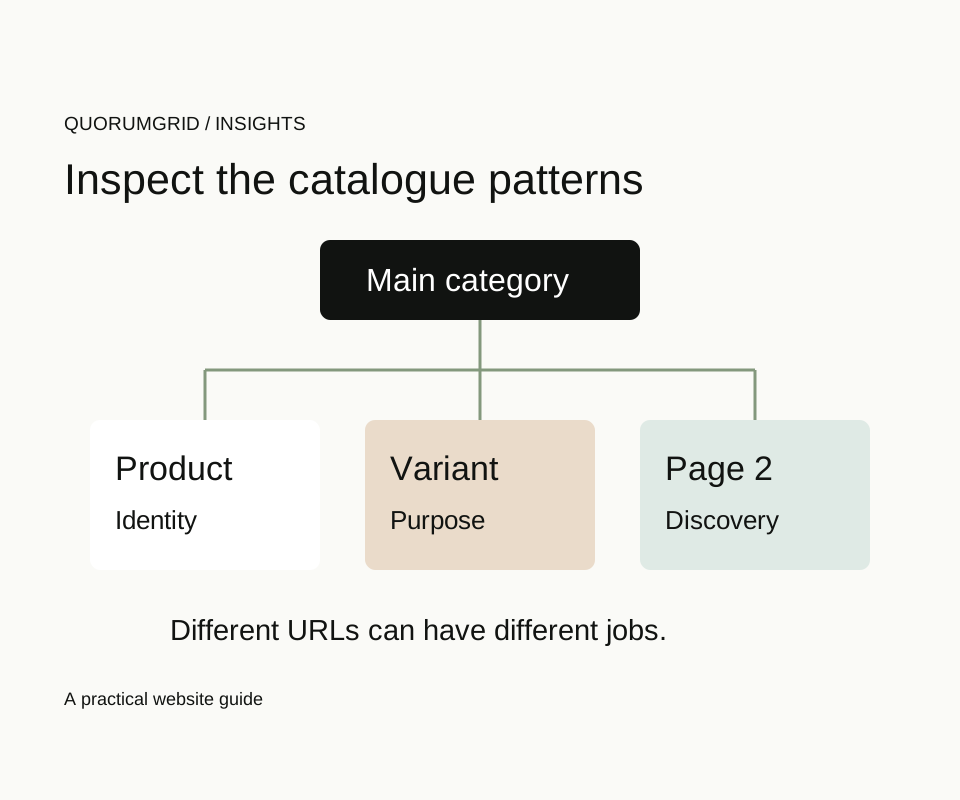
Use the canonical reference for genuinely duplicate or highly similar content. Keep distinct useful pages distinct. Avoid a site-wide rule that points every page to the homepage or every catalogue page to page one.
If an old URL has moved, verify the actual redirect and destination content. A successful redirect to an irrelevant page can still be an unsatisfactory result for the person following the link.
4. Inspect what the rendered page contains
Check the heading, main content, important links and images in a fresh browser. For a JavaScript-heavy site, compare what is available from the initial response with the rendered result and investigate failed resources. Do not assume that the framework name establishes either good or bad SEO.
Try the mobile journey and keyboard navigation. A technical check should reveal an inaccessible menu, a hidden contact route or content pushed off-screen, even when those problems do not explain every search-performance change.
Record load conditions when measuring performance. A one-off lab score on your laptop is useful diagnostic evidence, not a measurement of every customer's experience. Preserve the method so a later comparison uses similar conditions.
5. Compare the served page with stored search information
Check the relevant search inspection report where access is available. Keep its stored/indexed information separate from a fresh live check. A sitemap submission establishes neither indexing nor ranking, and a live-accessible page is not proof that Google has already processed the change.
Our audit sample shows how to write a finding with a technical acceptance check and a later outcome review. Use that distinction to close a verified implementation without claiming an immediate search result.
If the issue is actually a mismatch between search intent and page content, record it as such. Do not prescribe server changes merely because the investigation began as a technical audit.
6. Hand over a short, ordered implementation list
For every retained finding, name the affected pattern, evidence, confidence, owner and test that will confirm the correction. Group repeated template symptoms. Put dependencies before the work that relies on them.
An illustrative order might be: repair a failing service response, remove an unintended indexing directive, correct a conflicting canonical, then improve the page's content. That order is a practical example, not a universal priority list for every website.
Keep non-issues out of the repair list. An intentional private page exclusion should remain intentional. The value of an audit is partly in the recommendations it declines to make.
Sources and further reading
Technical references for this guide. The checklists and examples are our practical recommendations, adapted to the subject.